Relief for Body is reader-supported. When you buy through links on our site, we may earn an affiliate commission. This doesn't affect our verdicts.
The 20-20-20 rule says that every 20 minutes you look at something 20 feet away for 20 seconds. The American Optometric Association recommends exactly that, and it is a cheap habit worth trying. But it is not the whole picture. The same sources that endorse it also care about how far the screen sits from your eyes, how high it is, whether glare hits it, and how often you blink. If your eyes ache by mid-afternoon, check the setup before blaming the break schedule.
What the rule is, and who recommends it
The American Optometric Association page on computer vision syndrome gives the rule in plain terms: a 20-second break to view something 20 feet away, every 20 minutes. It adds a longer break for heavy use, resting the eyes for 15 minutes after two hours of continuous screen work.
One thing to know before you quote the rule to a coworker. The American Academy of Ophthalmology page on computer usage does not name it. What it does say is related: take breaks from the screen to look at distant objects. The Occupational Safety and Health Administration gives the same idea with its own example, which is to rest the eyes periodically by focusing on distant objects, such as a clock 20 feet away, and to alternate with tasks that are not on a computer. So the principle of looking far away at intervals is widely backed, while the exact 20-20-20 numbers appear on the optometrists’ page and are not repeated on the other pages checked for this article.
None of the pages read for this article cites a trial measuring how much the rule reduces symptoms, so none is quoted here.
Symptoms, and the blinking people forget
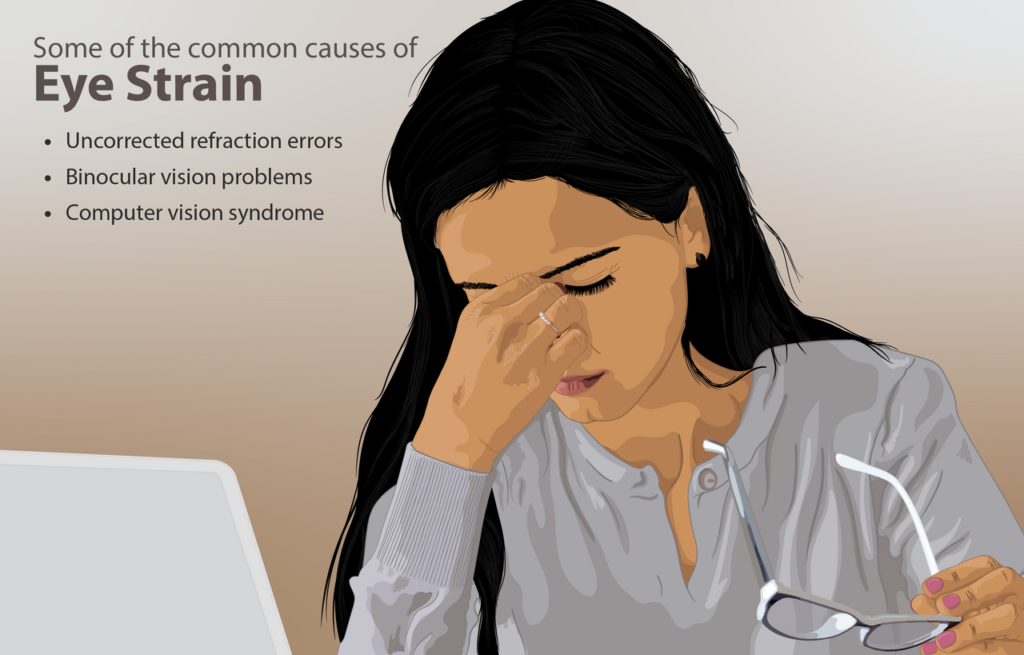
The AOA lists eyestrain, headaches, blurred vision, dry eyes, and neck and shoulder pain as symptoms of heavy screen use. The AAO describes blur, ache, dryness, tearing and stinging. Notice that neck and shoulder pain is on the AOA list: the eyes and the posture are tied together, because a person who cannot see the text clearly tends to lean toward it. The post on monitor height follows that thread from the neck side.
The AAO says people blink far less at a computer, about 5 to 7 times a minute compared with about 15 times normally. Blinking spreads moisture across the eye, which is why dryness shows up on the symptom lists. The AAO’s suggestions for this include artificial tears. The break rule helps here for a simple reason: when you look up and away, you tend to blink again.
Where the screen should sit
This is the section where the sources agree on direction and differ on numbers. All four place the screen slightly below eye level, and all four give a viewing distance of about an arm’s length or somewhat more.
| Source | Viewing distance | Screen position |
|---|---|---|
| AOA | 20 to 28 inches | Center of screen 15 to 20 degrees below eye level, about 4 or 5 inches |
| AAO | About 25 inches, arm’s length | Not given in the page read |
| OSHA | 20 to 40 inches (50 to 100 cm) | Top of monitor at or slightly below eye level; center 15 to 20 degrees below horizontal eye level |
| CCOHS | Arm’s length (40 to 74 cm) | About 15 degrees below horizontal; too high is worse than slightly too low |
The ranges overlap rather than conflict. A distance around 25 inches, roughly an arm’s length, falls inside all four. The angle of about 15 degrees below eye level sits within the AOA, OSHA and CCOHS wording. If you are between the numbers, the arm’s-length test is the one every page can live with.
The Canadian Centre for Occupational Health and Safety (CCOHS) also gives a reason for the distance: close focus strains the eyes, especially in low light. And its note that a screen set too high is worse than one slightly too low is useful when you are guessing. A raised monitor makes you look up, and the neck follows. For the full desk picture, the ergonomic desk setup guide puts chair, keyboard and screen together.
Glare and brightness
Light is the second half of the setup. The AOA says to avoid glare from overhead lights and windows, use blinds, choose lower-wattage bulbs in a desk lamp, and consider a glare filter. OSHA says to place the monitor perpendicular to windows, and warns that tilting the screen back may create glare from ceiling lighting. The AAO adds that a screen much brighter than its surroundings makes the eyes work harder, and suggests a matte filter for glare.
In practice, the checks are quick. Turn your head and see whether a window or a ceiling light is mirrored in the screen. Compare the screen to the wall behind it: if the screen looks like a lamp in a dark room, the contrast is too high. Those are common-sense readings of the AAO and AOA points, not measured thresholds, because none of the pages gives a brightness number.
The AAO mentions computer glasses among its suggestions, and the AOA recommends an annual eye exam. If you wear glasses or contacts and the screen blurs at your working distance, the prescription may not match that distance, which is a question for an eye care professional rather than something a desk adjustment will fix. Neither page says that screens damage eyes permanently, and this article does not claim it.
A sensible order of operations
If your eyes are tired by the end of a screen day, work down this order. First, set the distance and height so the center of the screen is a little below your eyes at roughly an arm’s length. Second, deal with glare and match the screen brightness to the room. Third, add the 20-20-20 break and the longer rest after two hours. Fourth, pay attention to blinking, and if dryness continues, ask an eye professional about options. The post on how often to stand up from the desk pairs well with this: a break for the eyes is a good moment to move the body.
When to get your eyes checked
The AOA recommends annual eye exams and says to consult a professional if symptoms persist or worsen. That is the only trigger the pages give. None of the four lists emergency signs for the eyes, so this article cannot sort symptoms into urgent and routine. If you have sudden changes in vision or pain in the eye itself, that is outside what these screen-comfort pages cover, and a call to an eye professional or emergency service is the right move rather than a desk adjustment.
Our take
Use the 20-20-20 break, but treat it as one of four habits. Put the screen about an arm’s length away with its center a little below eye level, reduce glare from windows and ceiling lights, and blink on purpose when you notice you have not. Keep up with eye exams, and see a professional if the symptoms last or get worse.
Common questions about the 20-20-20 rule and eye strain
What is the 20-20-20 rule?
Every 20 minutes, take a 20-second break to look at something 20 feet away. The American Optometric Association gives it in those terms.
How far should my monitor be from my eyes?
The AOA says 20 to 28 inches, the AAO says about 25 inches, and OSHA gives a wider 20 to 40 inches. About an arm’s length falls within all of them.
Should the screen be above or below eye level?
At or below. OSHA puts the top of the monitor at or slightly below eye level, and CCOHS says a screen that is too high is worse than one slightly too low.
Why do my eyes feel dry at the computer?
The AAO says people blink about 5 to 7 times a minute at a computer versus about 15 normally. Looking away from the screen and blinking deliberately are the simple counters.
From the Relief for Body desk
Every guide here is built from the manufacturer’s own documentation, published safety guidance, and the pattern in what owners report over months of use, not from a lab or a clinic. Nothing is sponsored, and verdicts are settled before any affiliate link goes in. We are not clinicians, and nothing on this site replaces one. How we review explains the process.
This article is general information, not medical advice. If pain is sharp, persistent, or getting worse, see a clinician.
Google lets you pick which sites come up first in your own results.