Relief for Body is reader-supported. When you buy through links on our site, we may earn an affiliate commission. This doesn't affect our verdicts.
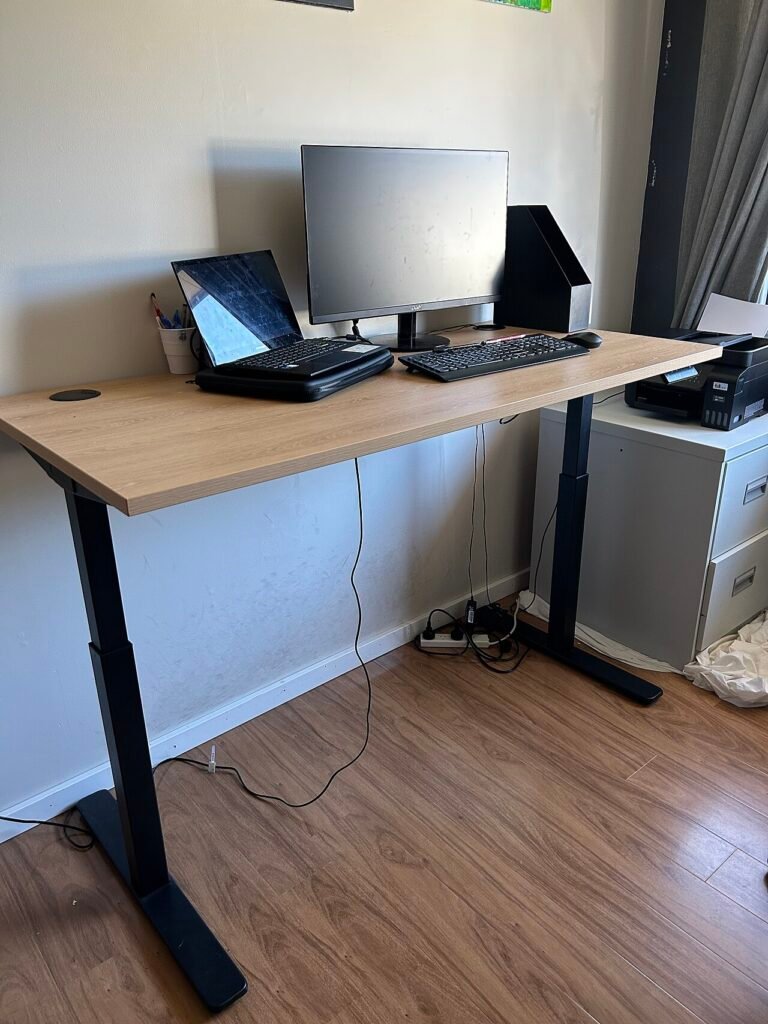
A standing desk is set correctly when your elbows sit at about 90 degrees or a little more, your forearms are roughly level with the keyboard, and the top of the screen is near eye level. The harder question is timing. The research that ergonomists rely on points to short, frequent posture changes rather than long stretches on your feet, and it is more cautious about standing than most product pages are.
Set the height from your elbows, not from a number
There is no universal desk height, because arm length and torso height vary. The usable rule is to start from your elbows. The Cornell ergonomic guidelines for computer work say to keep the elbow angle at 90 degrees or greater. In practice that means standing with your shoulders relaxed, upper arms hanging close to your sides, and raising the desk until the keyboard sits at or slightly below the height of your bent elbows.
Canadian Centre for Occupational Health and Safety (CCOHS) gives a more general guide for standing work, measured against elbow height. It is written for workbenches and counters, not specifically for laptops and keyboards, so treat it as a range rather than a prescription. The inch conversions below are approximate.
| Type of standing work | Work surface relative to elbow |
|---|---|
| Precision work | About 2 inches (5 cm) above the elbow |
| Light work | About 2 to 4 inches (5 to 10 cm) below the elbow |
| Heavy work | About 8 to 16 inches (20 to 40 cm) below the elbow |
Typing and mouse work are closest to light work, so the middle row is where most keyboard users will land. Check it against how your shoulders feel: if they creep upward while you type, the surface is too high.
Raise the screen with the desk
The mistake that shows up most often is lifting the desk for the keyboard and leaving the monitor where it was. Cornell points out that when you raise the work surface for the keyboard and mouse, you need to raise the screen too, otherwise the neck bends forward. For the target, Cornell suggests lining up your eyes with a point about 2 to 3 inches below the top of the monitor casing, with the center of the screen roughly 17 to 18 degrees below horizontal.
The OSHA computer workstations eTool says something similar in plainer words: the top of the monitor at or just below eye level, elbows close to the body and supported, wrists in line with the forearms, shoulders relaxed, feet flat on the floor. OSHA also notes there is no single correct posture or arrangement that fits everyone, so adjust, then check how your neck and shoulders feel after an hour. Laptops make this hard, since the screen and keyboard are attached. A separate keyboard or a raised screen solves it.
How long to stand: the guidance is shorter than you might expect
Cornell University Ergonomics Web gives a specific pattern for its sit-stand example: sit in a neutral posture, then every 20 minutes stand for about 8 minutes and move for 2 minutes. The same page says the exact numbers are not critical and that a posture break about every 20 to 30 minutes is the aim. It also states that simply standing is not enough. Ergonomists have long suggested breaking up sitting with 1 to 2 minutes of movement every 20 to 30 minutes.
Two further points from the same source are worth knowing before you buy a desk. Field studies found little dramatic benefit from sit-stand desks, and users stood for 15 minutes or less per day. Use also fades: after a month, a majority of users were sitting all the time. A desk that gets used for short, regular changes is doing its job. A desk parked at one height does not help, whichever height that is.
If you are working out an actual schedule, how often to stand up from your desk goes through the interval question, and standing desk converter versus full standing desk compares the two formats. This article stays on the setup and the risks.
What the evidence says about prolonged standing
Standing is not a free upgrade over sitting. According to Cornell, standing takes about 20 percent more energy than sitting, puts greater strain on the circulation, legs and feet, and is more tiring. Fine motor performance is worse while standing, and standing computer work tends to bring more wrist extension and leaning. Cornell also lists a raised risk of varicose veins from prolonged standing, and its ergonomic guidelines describe static standing as even more tiring than static sitting.
CCOHS agrees. It says standing is not a hazard in itself, but regular standing at work can cause sore feet, swollen legs, varicose veins, muscle fatigue, low back pain, and neck and shoulder stiffness. Without movement, blood pools in the legs. Its conclusion is the same as Cornell’s: change positions often. CCOHS adds that continuous standing and continuous sitting both lead to discomfort and fatigue, and that a worker should be able to sit or stand at will, a point it makes directly in its CCOHS guidance on sit/stand work.
None of this says standing is bad. It says the problem is staying put, in any posture.
Footwear, mats and footrests: only what the sources say
CCOHS is the one source here that gets specific about the floor and your feet, so this section sticks to it.
- Shoes should have a firm heel grip, room for the toes, and arch support. A cushioned insole helps on hard floors. A small heel is fine.
- Wood, cork or rubber floors are preferred. Concrete should be covered with mats that have slanted edges.
- A foot rail or footrest lets you shift your weight from one leg to the other.
On mats, the same page is blunt: do not use thick foam-rubber mats, because too much cushioning can cause fatigue and increase the hazard of tripping. Our post on anti-fatigue mats and why thicker is not better picks up that point.
When to talk to a professional
Pain that gets worse with standing, leg swelling that does not settle overnight, or numbness and tingling in the hands that keeps coming back are reasons to talk to a doctor or an occupational health provider rather than keep adjusting the desk. The sources above are about workplace setup and do not diagnose anything. If you have a vein condition, a back problem, or are pregnant, ask a clinician how much standing suits you before you try a long schedule.
Our take
Set the keyboard at elbow height with your elbows at 90 degrees or more, then raise the screen so the top is at or just below eye level. Use the desk for short, regular changes, roughly every 20 to 30 minutes, and move during them. Do not treat standing as the goal: both Cornell and CCOHS say that holding it for long periods tires you and strains your legs. Watch the shoes and the floor, skip thick foam mats, and see a clinician if standing leaves you with lasting pain, swelling or numbness.
Common questions about the ergonomics of a standing desk
What should my elbow angle be at a standing desk?
Cornell’s ergonomic guidelines say 90 degrees or greater. Let your upper arms hang relaxed and set the keyboard at or slightly below elbow height.
How high should the monitor be when I stand?
Raise it along with the desk. OSHA describes the top of the monitor at or just below eye level. Cornell suggests eyes in line with a point about 2 to 3 inches below the top of the casing, so the neck does not bend forward.
How long should I stand at a time?
Cornell’s example is to sit for 20 minutes, then stand for 8 minutes and move for 2, and it says the exact times are not critical. The aim is a posture break about every 20 to 30 minutes.
Is standing all day better for my back?
The sources do not support that. CCOHS lists low back pain, sore feet and leg swelling among the problems of regular standing at work, and Cornell calls static standing even more tiring than static sitting.
Do I need an anti-fatigue mat?
CCOHS prefers wood, cork or rubber floors and suggests mats with slanted edges over concrete. It warns against thick foam mats, because too much cushioning can cause fatigue and tripping.
From the Relief for Body desk
Every guide here is built from the manufacturer’s own documentation, published safety guidance, and the pattern in what owners report over months of use, not from a lab or a clinic. Nothing is sponsored, and verdicts are settled before any affiliate link goes in. We are not clinicians, and nothing on this site replaces one. How we review explains the process.
This article is general information, not medical advice. If pain is sharp, persistent, or getting worse, see a clinician.
Google lets you pick which sites come up first in your own results.